
Idea Statica
Steel
Steel overview
Connection design
Member design
Parametric design
Steel case studies
Concrete
Concrete overview
Walls and D-regions
Anchoring design
Concrete case studies
BIM & Workflows
BIM Overview
Supported integrations
Checkbot
Viewer
APIs
Support & Learning
Support Center
E-learning & certification
Blog
Downloads & Licensing
Pricing
Plans
Free community tool
Enterprise customers
Students & educators
How much will you save?
Company
About us
Contact
Research & development
Authorized resellers
Meet our customers
14-Day Trial
Support CenterKnowledge BaseCode and calculation settings in Detail application
Codes supported in IDEA StatiCa Concrete
Code and calculation settings in Detail application
Combinations and strength reduction factor in ACI
Improvements for ACI 318-19 in Detail
Imperial rounding improvements in Detail
Code and calculation settings in Detail application
ConcreteReinforced concreteKnowledge baseDetail 2DEN (Eurocode)

Code and calculation settings in Detail application

This article is also available in
ENCS

This article covers the settings that need to be checked or adjusted before running the calculation. The code-based settings have been omitted in the article. The further text focuses on the analysis and mesh settings.

To access the setting, continue to the Design -> Settings in the top ribbon.

When you click on the button, the Code and calculation settings window appears.
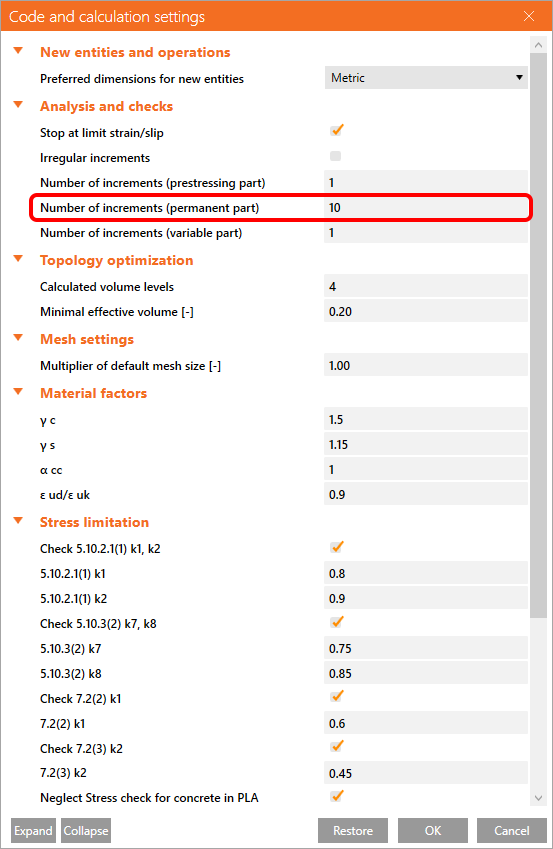
Stop at limit strain/slip

This option is turned on by default. You can read about stop limit criteria in the following article.

  • Solution method and load-control algorithm

Irregular increments

Increments are, by default, 10%. You can change the algorithm to increase the speed of calculation. 

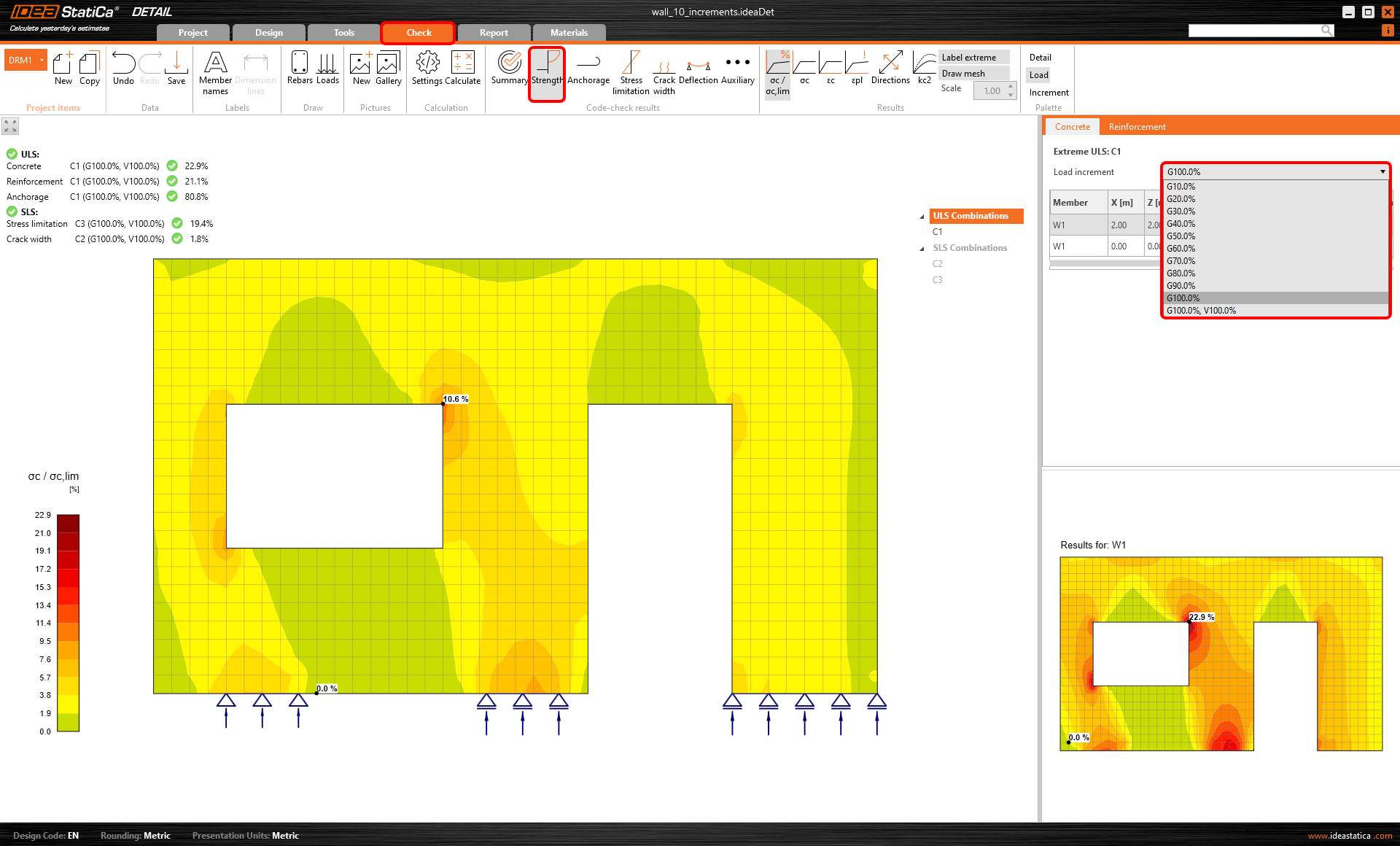
Number of increments

The program can display results for an inputted number of increments of each load type. In the figure below, you can see 10 increments of 10% of the permanent load.
Topology optimization settings

You can also control the number of effective volumes and the size. To learn more about topology optimization, read the Theoretical background.

Multiplier of default mesh size

The default value of the multiplier is 1,0. Mesh created with this multiplier is verified and recommended for the checks. To speed up the calculation during optimization, it is possible to adjust the multiplier. 

The limit values of the multiplier are 0,5 (fine mesh) and 5 (coarse mesh).
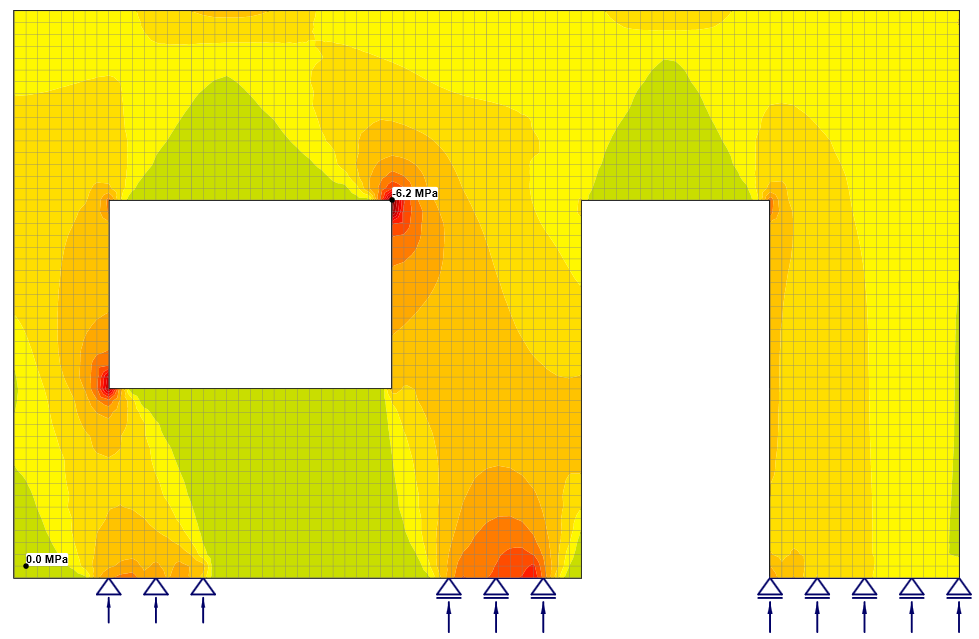
\[ \textsf{\textit{\footnotesize{Fine mesh -> 0.5}}}\]
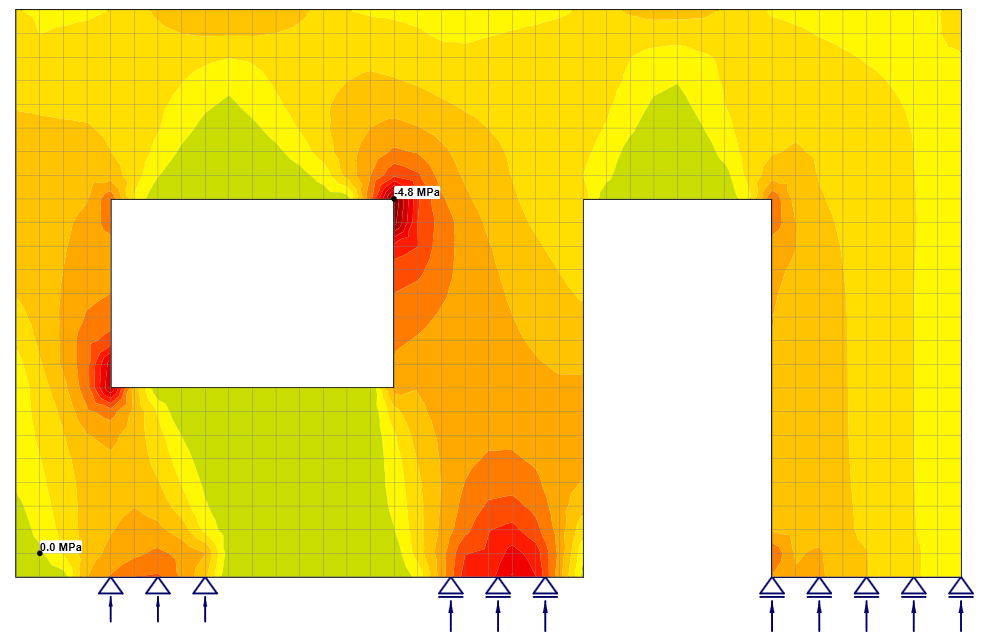
\[ \textsf{\textit{\footnotesize{Standard mesh -> 1.0}}}\]
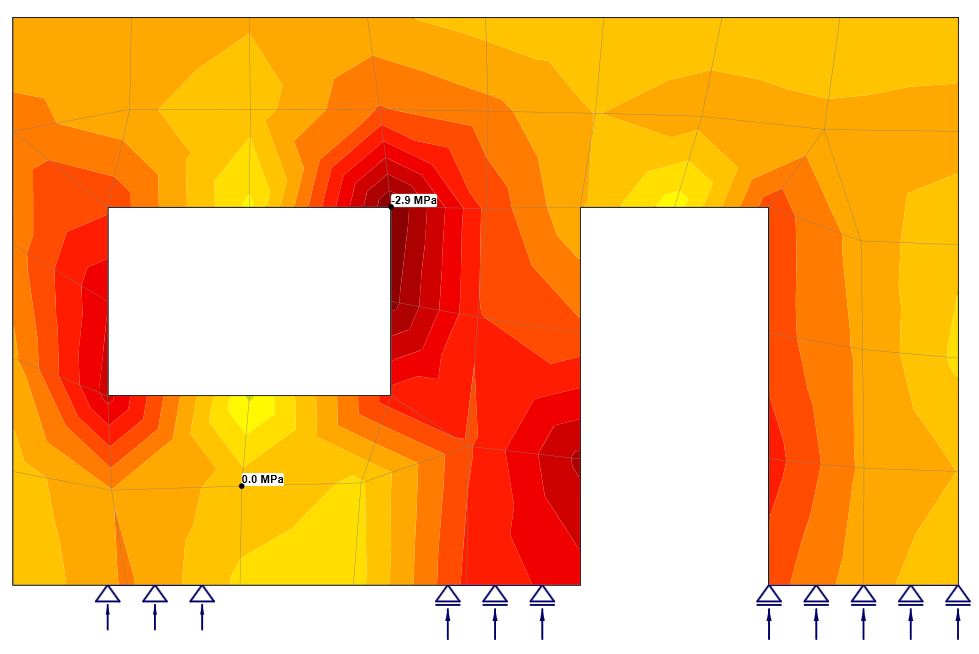
\[ \textsf{\textit{\footnotesize{Coarse mesh -> 5.0}}}\]

Please note that the multiplier influences the mesh of the reinforcement as well as the mesh of the concrete. The previous figures are from the same model. The dependency between the multiplier and results can be seen in the figures.

Moreover, the behavior of the sharp corner is also shown. To learn more about sharp corners, watch the linked webinar.

  • Solve critical parts of shear walls

Subscribe to our newsletter

Company

  • About us
  • Partnerships
  • Job openings
  • Patented technology for structural engineers

Resources

  • Customer projects
  • Case studies
  • IDEA StatiCa Connection Library
  • Concrete verifications

Legal

  • IDEA StatiCa END USER LICENSE AGREEMENT
  • Privacy policy
  • Terms of Services – IDEA StatiCa Viewer
  • Licensing

Help

  • Contact
  • Get price quote
  • IDEA StatiCa Specialists
  • Download the latest version
FacebookInstagramLinkedInYouTube

© IDEA StatiCa 2009-2026

Trusted and used worldwide by engineers, fabricators & consultants.