


The improvements have touched three different areas in the Connection application - Backstage menu, results presentation, and overall computer memory usage.
Performance of the Backstage menu
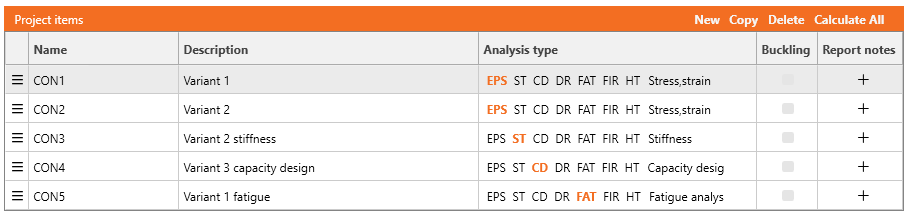
The table with project items in the Backstage menu is mainly used to organize and control multiple connection models and analysis types within the project file. Users can quickly set the name, description, and analysis type for each project item, add report notes, and easily rearrange the order of project items.
The improved response is especially noticeable for projects with a large number of items, as the Backstage menu table's reaction to user actions has been dramatically accelerated.
Released in IDEA StatiCa version 24.0.4
Quick cancel of calculation and report creation
The Cancel action is improved to stop running processes instantly. This affects the meshing part of the calculation process, report creation, and the second part of stiffness analysis calculation.
When the Calculate button is hit, the meshing of finite elements starts first, and then the main analysis begins. Since meshing can be time-consuming, especially for bigger models, it can now be interrupted immediately by the Cancel button.
A similar situation occurs while generating a Report, where pictures are generated for a long time. This can also be interrupted instantly.
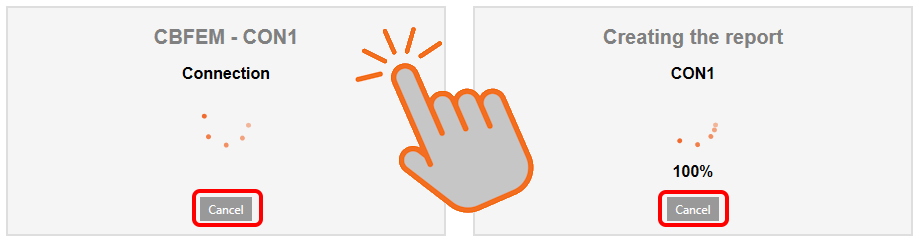
Stiffness analysis is specific for its two rounds of calculation. The second one, which calculates the stiffness curve, can also be stopped in a second.
Released in IDEA StatiCa version 24.1
Speed-up of results presentation in Check
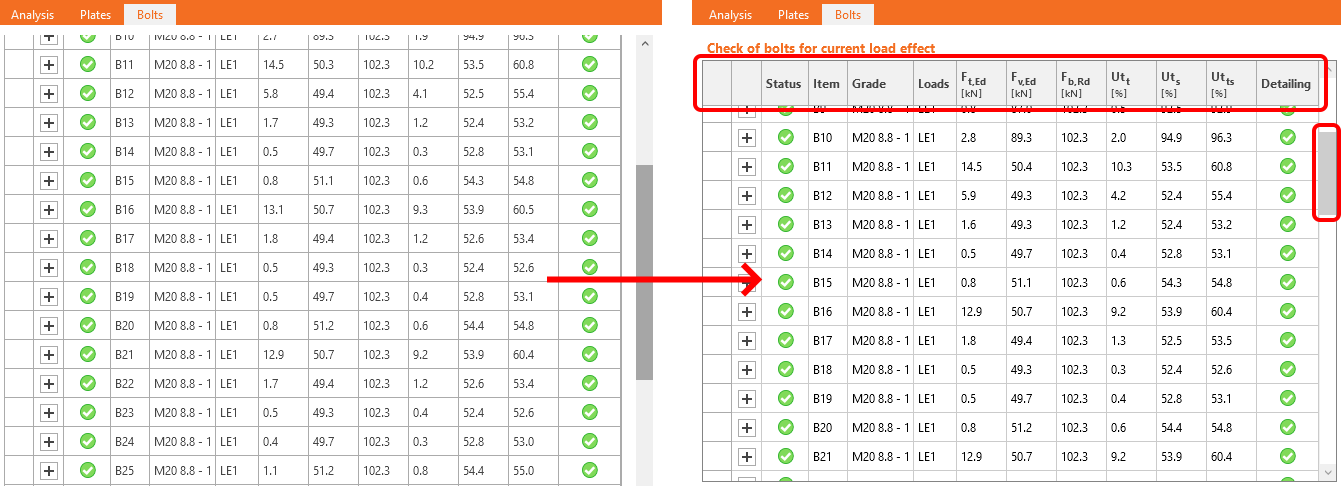
Refactoring the result tables in the Check tab significantly speeds up table presentation and enhances table interaction. As a result, switching between the Design and Check tabs is now much faster.
The visualization of result tables is over 150% faster when no results are displayed in the 3D model, and 25% faster when results are shown on the 3D screen, as these tables also include images derived from the 3D model visualization.
Also, the scroll bar moved inside the result tables, so the header stays visible when scrolling.
Released in IDEA StatiCa version 24.0.3
Decreased memory consumption
IDEA StatiCa Connection has eliminated memory (RAM) leaks, preventing RAM consumption from accumulating during extended work sessions. As a result, tree menus remain responsive, and modifications to operation properties continue to perform quickly.
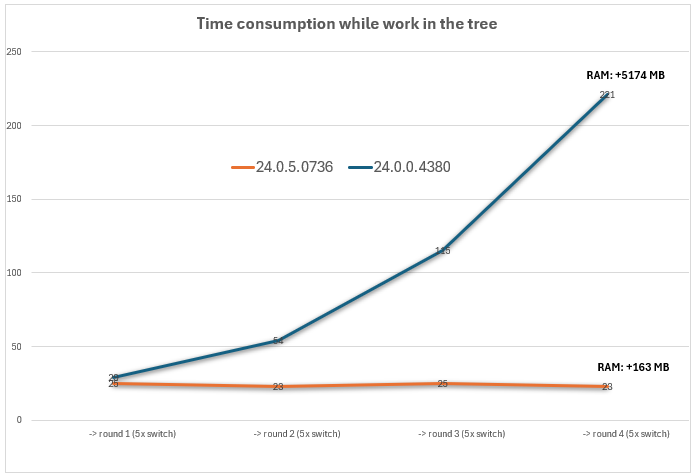
The graph illustrates a straightforward test of switching between categories in the tree menu, with the refresh time measured for each transition:
- The blue line represents version 24.0, where time consumption increases with each switch between items in the tree menu. As RAM usage grows, the application becomes progressively slower.
- The orange line represents version 24.1, where time consumption remains low and constant, even during extended use of the tree menu. RAM usage increases minimally, ensuring the application's response stays fast and efficient.
Released in IDEA StatiCa version 24.0.5