


For now, the link works for a wide variety of connections/joints. However, please take into account yet unsupported functionality.
Limitation: Non-linear combinations can't be imported to the IDEA StatiCa Checkbot application.
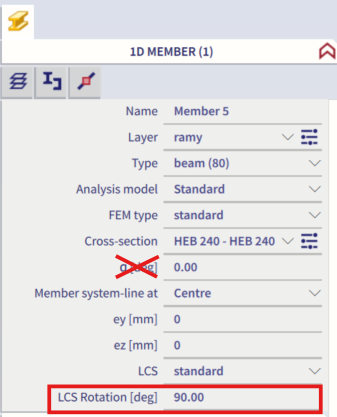
Limitation: Rotation of members using "α" can not be imported from SCIA Engineer to Checkbot
Workaround: Rotate the member using "LCS Rotation" instead, the rotation of members will be imported correctly.
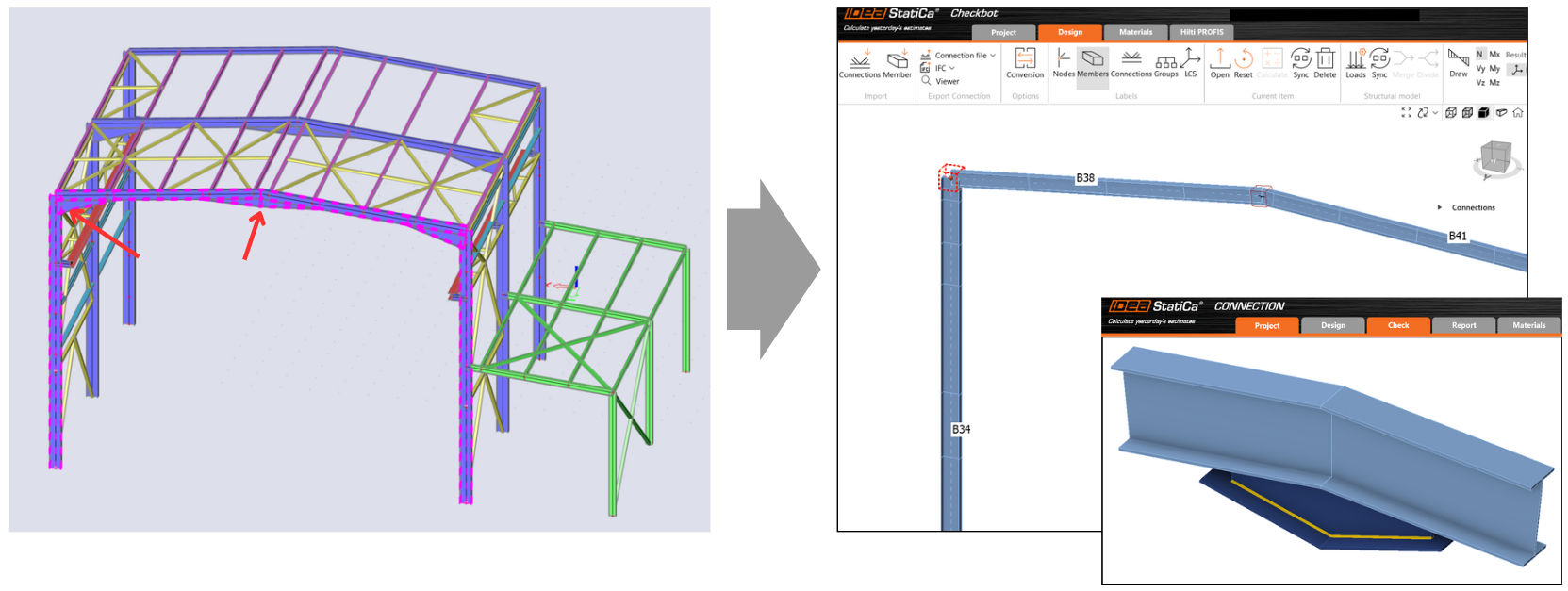
Limitation: Haunches modelled in SCIA Engineer are not imported to Checkbot.
Workaround: The haunches have to be modelled separately in IDEA StatiCa Connection using Operations.
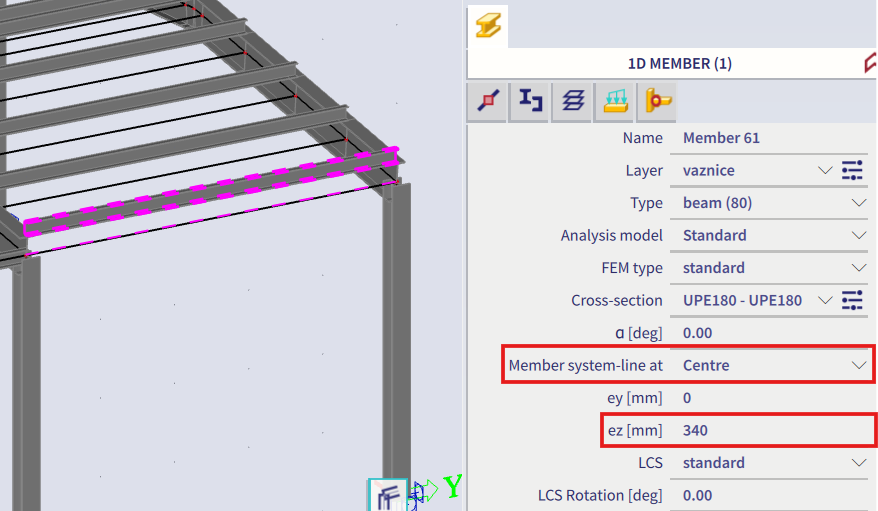
Limitation: Eccentricity modelled using the "member system-line at" is not imported in version 25.0 and older. From the version 25.1.0, this limitation has been removed and members are imported with the defined system line.
Workaround: The eccentricity must be defined via an ez or ey value. The member system line must be set to "Centre".
With SCIA Engineer version 21.1, IDEA StatiCa introduced another option of how to use the BIM link between SCIA Engineer and the Checkbot application.
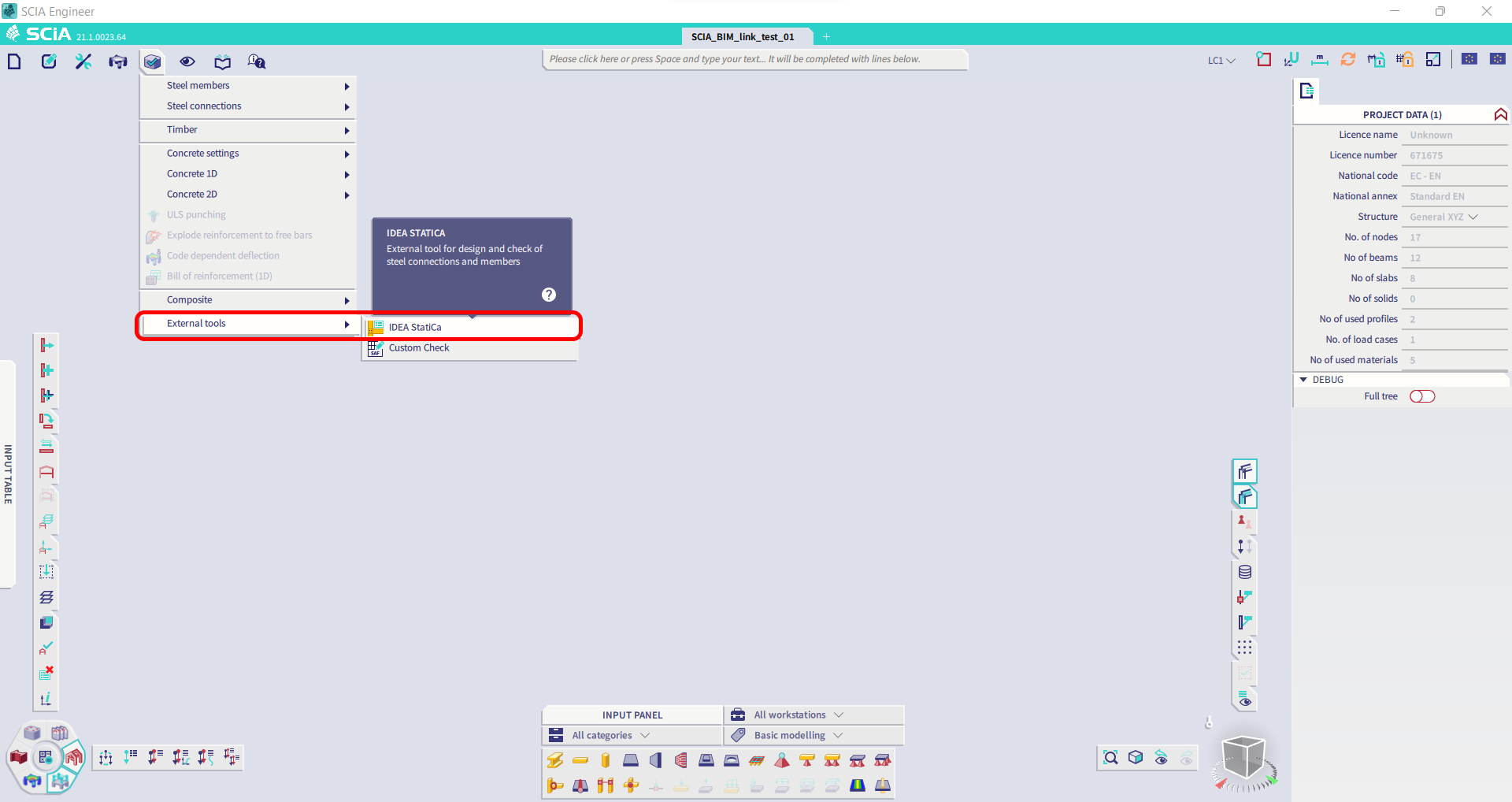
Limitation: This feature isn't embedded in the Legacy version of SCIA 21.1.
Workaround: Use default UX of SCIA 21.1.
Limitation: SCIA is unable to create a SAF file used for Bimlink communication. The issue represents itself with the following error in Checkbot and the following message when exporting the SAF model directly from SCIA.
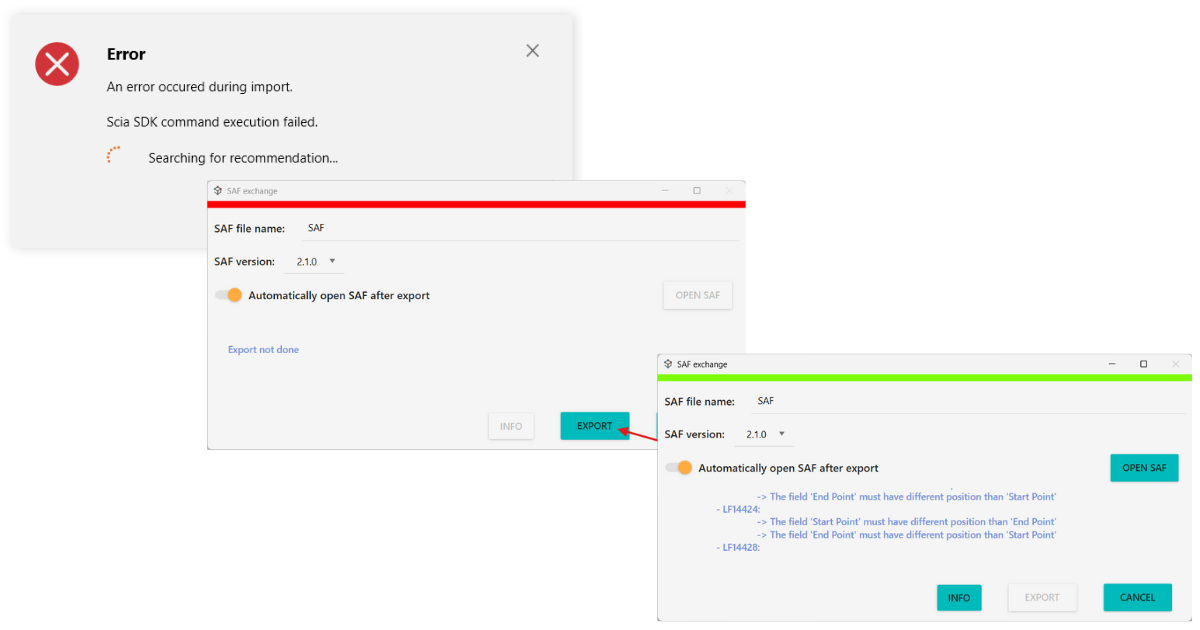
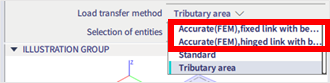
Workaround: To fix it, change the selection of the transfer method from Tributary Area to Accurate (FEM).
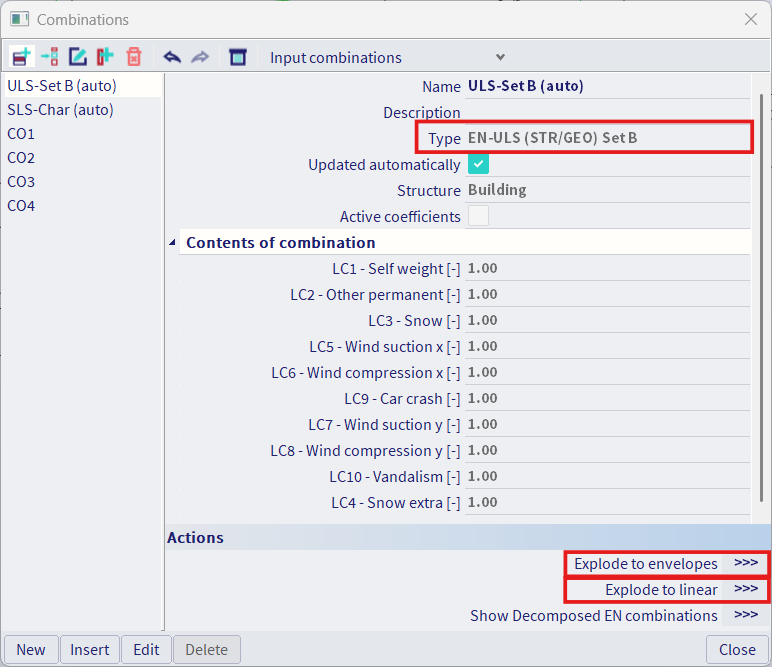
Limitation: Standard combinations can not be imported to the IDEA StatiCa Checkbot Application.
Workaround: Explode the combinations in SCIA Engineer to either envelopes or linear combinations before the export.
Limitation: Members with LCS type defined other than "Standard" cause fail of Import to Checkbot
Workaround: When the following error appears during an import to Checkbot.
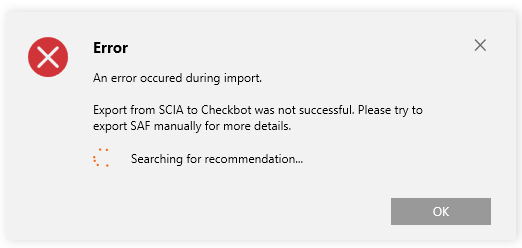
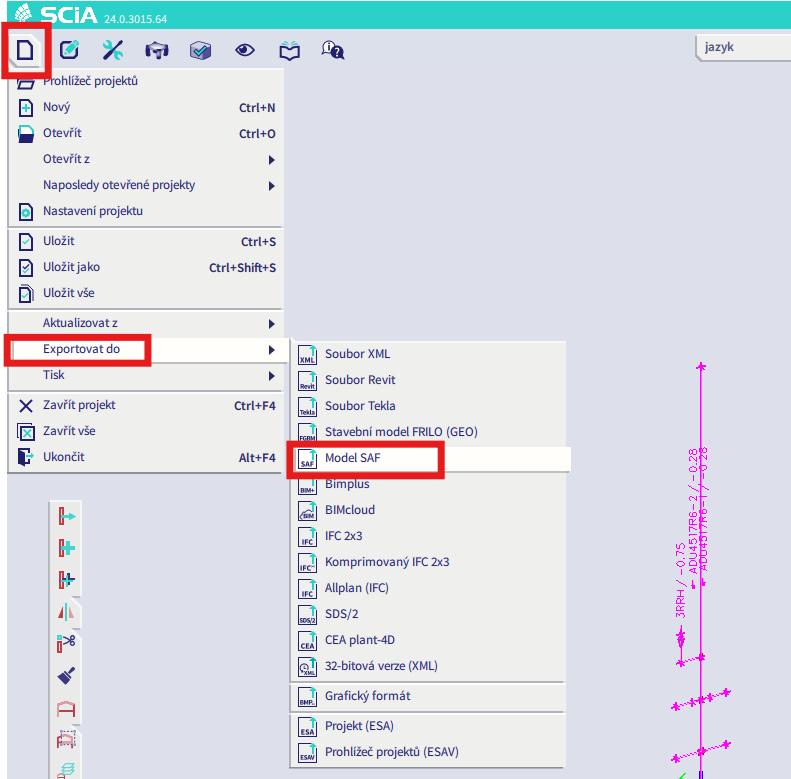
Navigate to SCIA and perform a manual export of SAF file.
If the export fails, click on "INFO" and the top lines inform you about the members that uses other LCS than "standard".
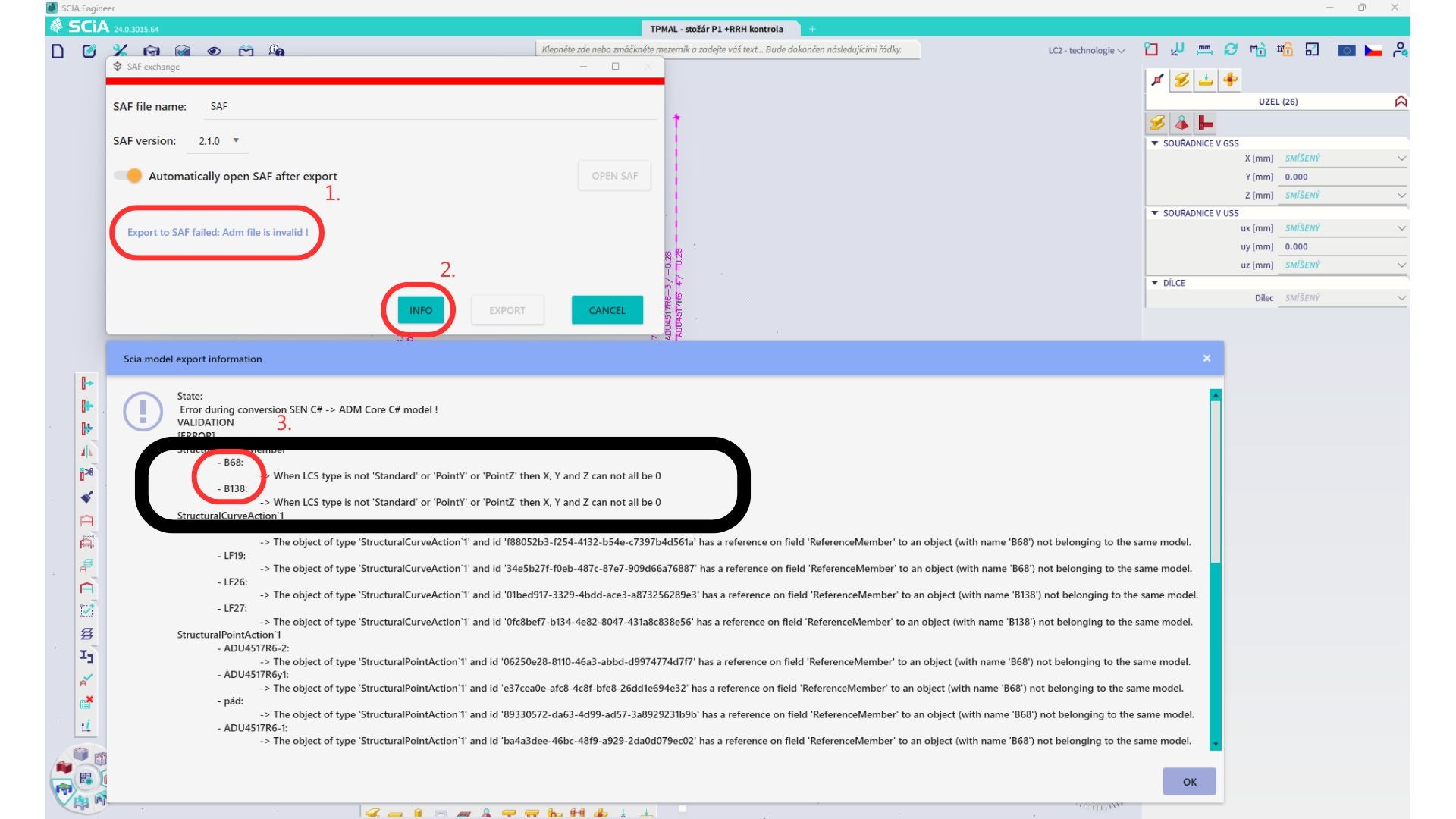
Locate the members and change their LCS to "standard". Recalculate and launch the BIM link again.
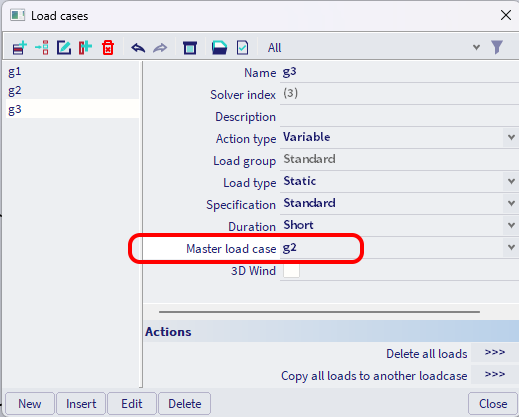
Limitation: Envelope combinations in Scia engineer containing load cases with a defined “Master load case” are not combined correctly after import in the IDEA StatiCa Checkbot application due to missing information in the SAF file.
Workaround: Before exporting, explode envelope combinations contained in SCIA Engineer and containing load cases with a defined “Master load case” to linear combinations.
Limitation: The Relation Together in the Load group is not taken into account after import in the IDEA StatiCa Checkbot application and it caused inconsistent internal forces between Scia Engineer and Checkbot.
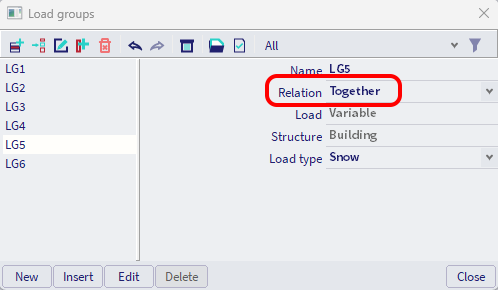
Workaround: Before exporting, explode the envelope combinations to linear combinations in Scia Engineer. The second way is to use the direct link to IDEA StatiCa Connection.