
Idea Statica
Steel
Steel overview
Connection design
Member design
Parametric design
Steel case studies
Concrete
Concrete overview
Walls and D-regions
Anchoring design
Concrete case studies
BIM & Workflows
BIM Overview
Supported integrations
Checkbot
Viewer
APIs
Support & Learning
Support Center
E-learning & certification
Blog
Downloads & Licensing
Pricing
Plans
Free community tool
Enterprise customers
Students & educators
How much will you save?
Company
About us
Contact
Research & development
Authorized resellers
Meet our customers
14-Day Trial
Support CenterKnowledge BaseMultiselect and multi-edit in Detail
Bulk import from DXF drawing
Multiselect and multi-edit in Detail
Simple insertion of table inputs into IDEA StatiCa Detail
Export Beam to Detail
Export of the beam to Detail app
Multiselect and multi-edit in Detail
ConcreteReinforced concreteKnowledge basev24.0Detail 2D

Multiselect and multi-edit in Detail

This article is also available in
ENCSDEFRITNL

Having access to and utilization of automation is the way to work faster and more efficiently. Read about how to achieve that using the multi-select and multi-edit options in IDEA StatiCa Detail.

The layout of Detail has been designed to give users easy and logical orientation within the properties. This ensures that navigating through the properties is intuitive and efficient. 

When combined with the option of bulk editing the model entities, users can change multiple model entities simultaneously, saving time and streamlining their tasks. 
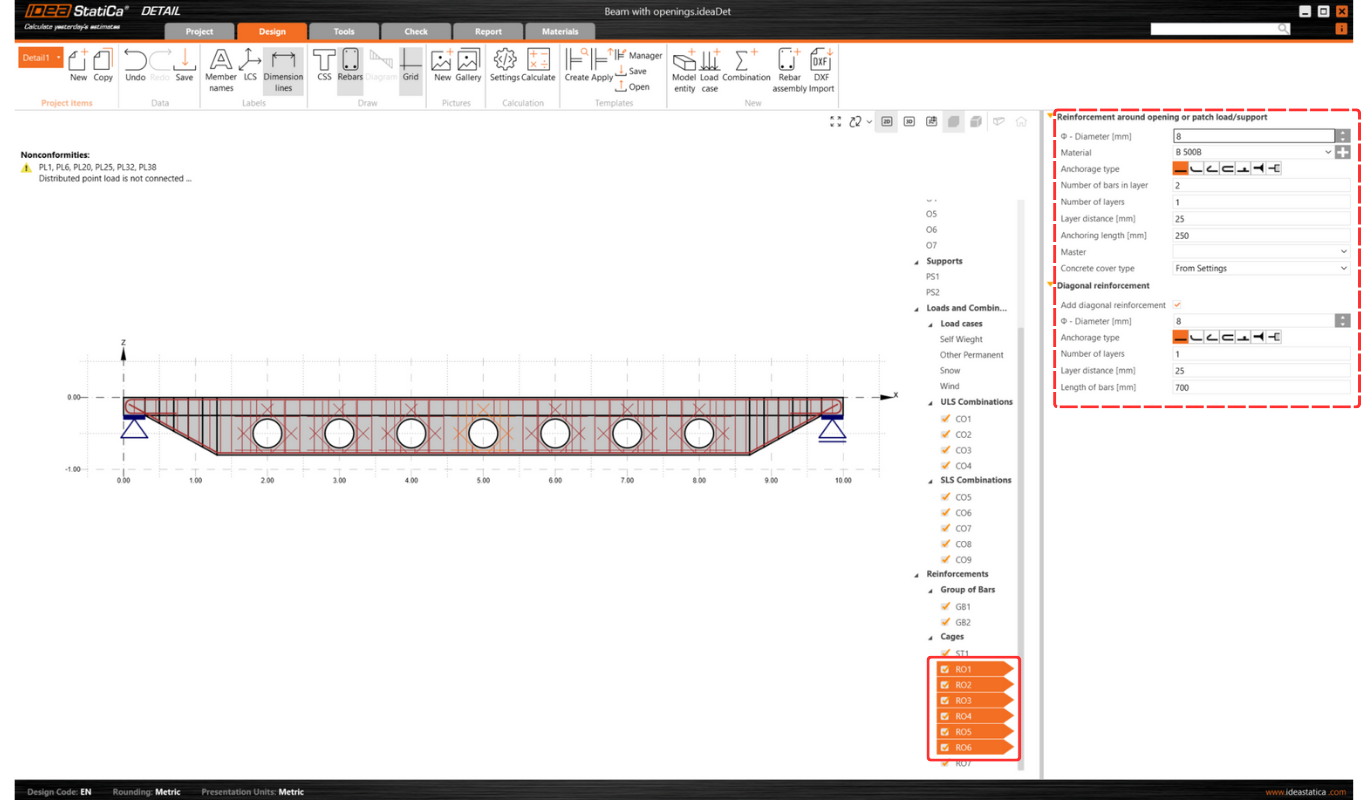
Overall, this contributes to a smooth and productive user experience.

Bulk editing of model entities

This feature is mainly for users with projects containing a high amount of model entities and reinforcement. For example, after importing reinforcements from a DXF file, bulk editing allows editing properties like diameter, material, anchorage type, or layer definition for multiple items simultaneously.
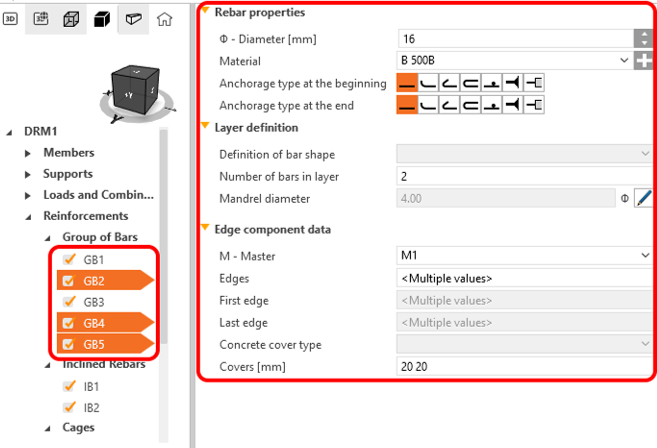
A multi-selection shortcut allows the selection of multiple entities from the tree of entities by holding Ctrl+key or a combination of the Ctrl+Shift buttons. 

The multi-selection option is also available for other properties (e.g., loads, combinations, and reinforcements). This feature lets users delete or copy selected entities simultaneously, enhancing efficiency and simplifying tasks.

Released in IDEA StatiCa version 24.0.

Check out IDEA StatiCa for free

Subscribe to our newsletter

Company

  • About us
  • Partnerships
  • Job openings
  • Patented technology for structural engineers

Resources

  • Customer projects
  • Case studies
  • IDEA StatiCa Connection Library
  • Concrete verifications

Legal

  • IDEA StatiCa END USER LICENSE AGREEMENT
  • Privacy policy
  • Terms of Services – IDEA StatiCa Viewer
  • Licensing

Help

  • Contact
  • Get price quote
  • IDEA StatiCa Specialists
  • Download the latest version
FacebookInstagramLinkedInYouTube

© IDEA StatiCa 2009-2026

Trusted and used worldwide by engineers, fabricators & consultants.