


FEA links (SAP 2000, Robot, RFEM, etc.)
Until now, we had to export the beam from FEA applications to a new project every time. This meant designing the connection again.
Version 9.1 changes this dramatically:
- We select a node in the FEA application.
- We export it to IDEA StatiCa (geometry, cross-sections, and load effects), design the beam and perform a code-check.
- Let’s say we want to optimize/change the model – we go back to the FEA application and do the necessary changes (loads, cross-sections, etc.).
- Then we click the “Synchronize” button in the IDEA plugin embedded in the FEA application and all the changes are automatically applied in our IDEA StatiCa project – no need to design the connection again manually.
- Let’s say we want to make another change in the model – we go back to the FEA application and add/delete necessary beams, loads, etc.
- Then we click the “Modify” button in the IDEA plugin embedded in the FEA application, and the selection of connection entities is imported to the actual IDEA StatiCa project – no need to design the connection again manually.
- We can calculate the project from the Code-check manager window by command Calculate or even Calculate All project items – all exported beams at one time.
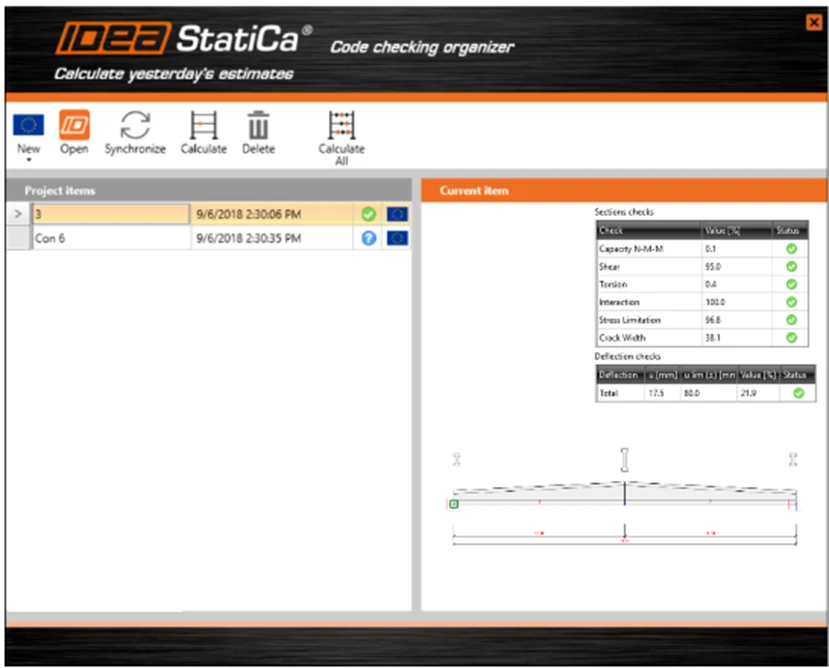
All the necessary information about the exported projects is available in the Code-check manager, and we can identify members, check the results, and explore the model presentation, etc. This information is printed for all exported items in one dialogue.
We can repeat this several times to optimize the design while making sure that all the data is correctly inputted into both the FEA application and IDEA StatiCa.