
Idea Statica
Steel
Steel overview
Connection design
Member design
Parametric design
Steel case studies
Concrete
Concrete overview
Walls and D-regions
Anchoring design
Concrete case studies
BIM & Workflows
BIM Overview
Supported integrations
Checkbot
Viewer
APIs
Support & Learning
Support Center
E-learning & certification
Blog
Downloads & Licensing
Pricing
Plans
Free community tool
Enterprise customers
Students & educators
How much will you save?
Company
About us
Contact
Research & development
Authorized resellers
Meet our customers
14-Day Trial
Support CenterKnowledge BaseDirect link from Connection to Viewer
How to change analysis type
Project item and material management
Cost estimation
Measuring tool
In-app tooltips and links with Support Center
Connection pre-design
Multiselect and multiedit in the Connection app
All applications: Search box
Most common Dialog actions​
Changes in the tree of entities
How to create a section view
Direct link from Connection to Viewer
The UI of the IDEA StatiCa Viewer tool
Direct link from Connection to Viewer
Missing components in 3D DWG export from Viewer
Direct link from Connection to Viewer
SteelConnection designKnowledge baseViewerv25.0

Direct link from Connection to Viewer

This article is also available in
ENCSDEFRITNL

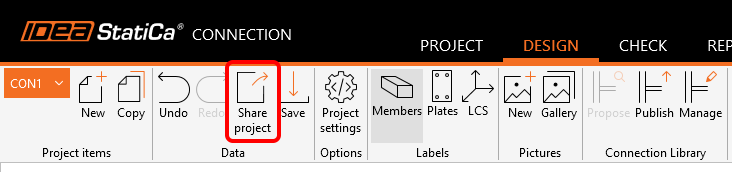
Sharing projects via Viewer is easier than ever – create the link from Connection directly and send it to anyone you need. Manage the shared links in Viewer under your account.

The top ribbon in IDEA StatiCa Connection has the possibility of sharing the project via our online Viewer. 

This is the easiest way to send the project to anyone, even to persons without an IDEA StatiCa license. No more sending large .ideacon files that need to be manually uploaded to Viewer.
You can either copy the link onto the clipboard or open the project directly in IDEA StatiCa Viewer.
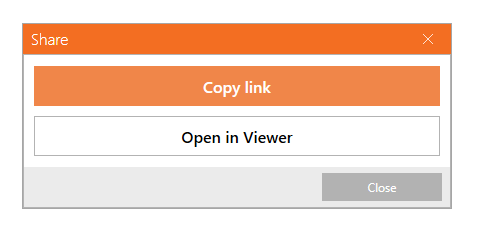
To open a shared project, you do not need to have an IDEA StatiCa license. However, to interact with the project in Viewer, you need to use your commercial, trial, or educational, license or register for the free IDEA StatiCa Basic account.

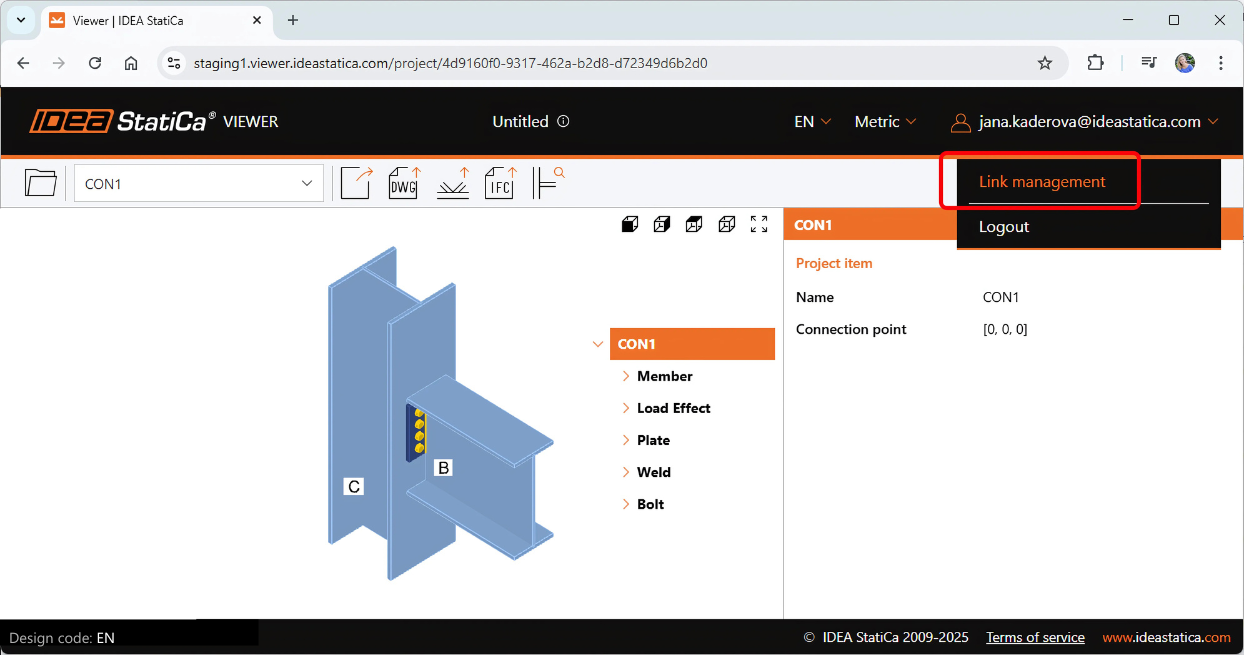
Link management

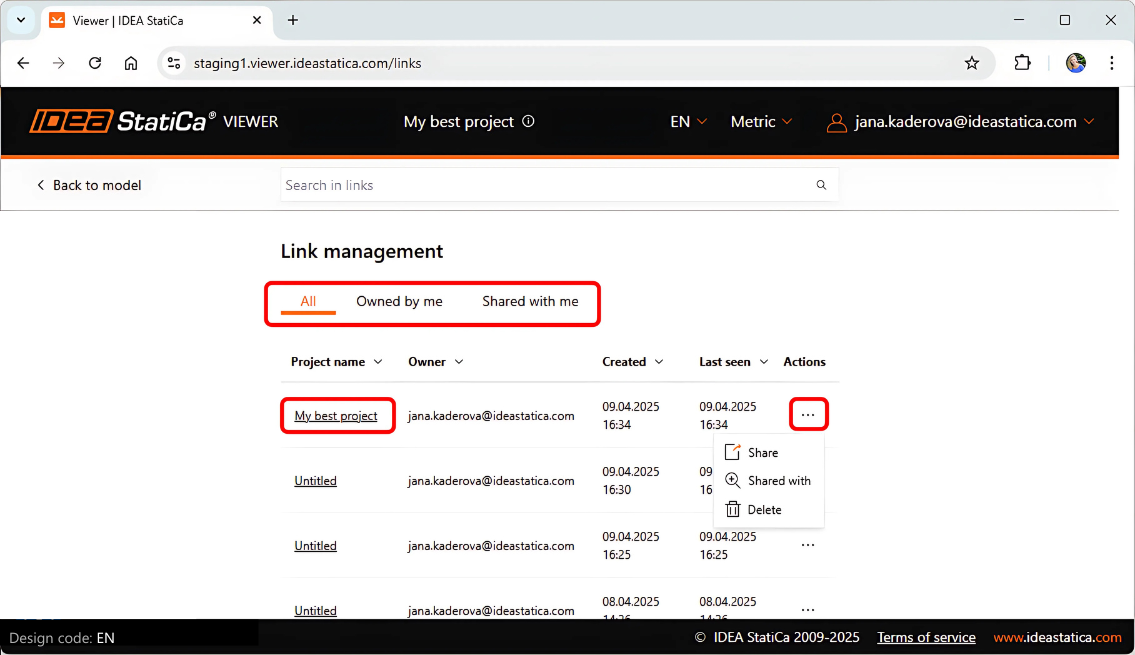
When logged into your user account, you can find all your links to Viewer models, both the ones created and owned by you as well as the ones shared with you.
Each project with a generated link is saved on the cloud server and the URL can be copied and sent again. Projects can also be deleted from the list.
Released in IDEA StatiCa version 25.0.


Share the link via email

The link to the Viewer can also be shared via email directly from the Connection app. This is possible for one or multiple email addresses at once.
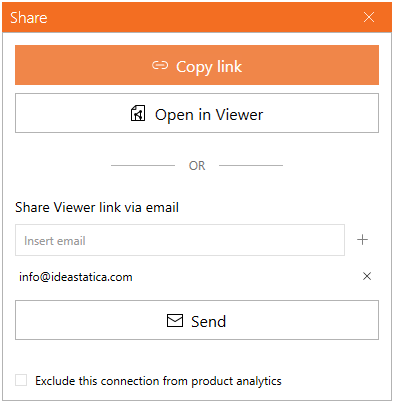
Limitation: The current limit of project links shared via one email address is set as maximum 20 per day.

Note:

  • All project items of the shared file are sent to the Viewer (whole projects); the users can't choose a specific project item.

Updated in IDEA StatiCa version 25.1.

Check out IDEA StatiCa for free

Subscribe to our newsletter

Company

  • About us
  • Partnerships
  • Job openings
  • Patented technology for structural engineers

Resources

  • Customer projects
  • Case studies
  • IDEA StatiCa Connection Library
  • Concrete verifications

Legal

  • IDEA StatiCa END USER LICENSE AGREEMENT
  • Privacy policy
  • Terms of Services – IDEA StatiCa Viewer
  • Licensing

Help

  • Contact
  • Get price quote
  • IDEA StatiCa Specialists
  • Download the latest version
FacebookInstagramLinkedInYouTube

© IDEA StatiCa 2009-2026

Trusted and used worldwide by engineers, fabricators & consultants.